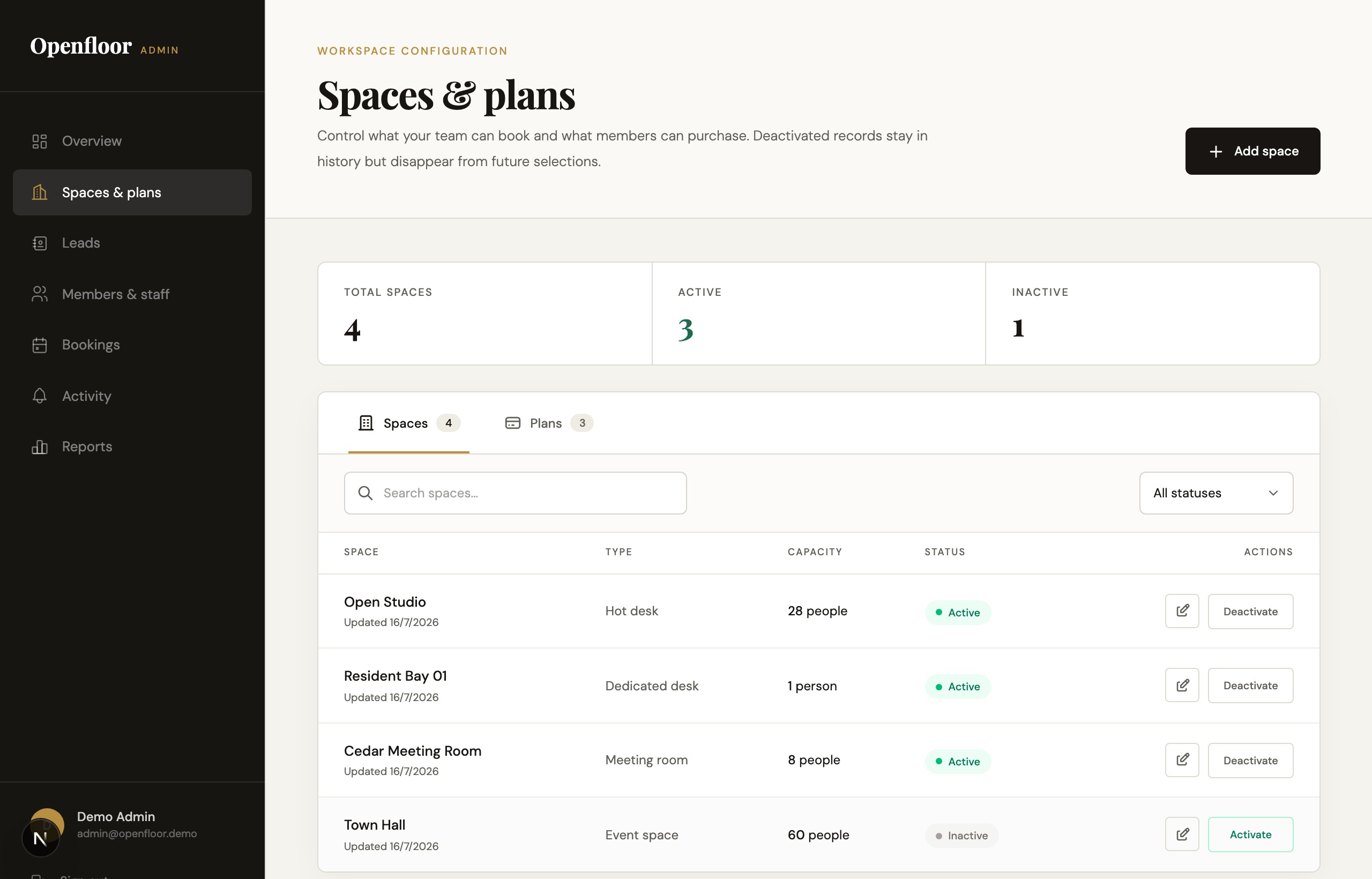
Live Status & Intake Tracking
Custom front-desk software that turned disconnected queues, email inquiries, and shift changes into one live operating hub.
The challenge
Front-desk staff juggled paper visitor logs, fragmented email threads, and multiple browser tabs on every shift. Shift changes dropped context, and management had no visibility into who was waiting in the lobby.
Intake split across three screens
Front-desk staff manually cross-referenced spreadsheets, email chains, and payment portals for every arrival.
Handoff blind spots between shifts
Outgoing and incoming receptionists relied on verbal catch-ups and desk sticky notes, leaving half-finished member requests stranded between shifts.
Delayed billing synchronization
Staff re-typed check-ins and plan upgrades into billing software hours later, creating invoice errors and awkward member disputes at checkout.
A unified reception and status console
ThinShadow designed and built a front-desk console where public bookings, check-in queues, and member accounts stay in sync automatically — so reception and management always see the exact same picture.
How the system works in practice
From morning check-in to shift changeover
Standardize customer intake & plan selection
Members pick plans, sign terms, and book spaces through simple online flows — producing clean bookings with no missing info before anyone arrives at the desk.
Enable self-serve reservation management
Members reschedule meetings, change bookings, and check in from their phones, freeing front-desk staff from fielding routine calendar requests.
Allocate available desks from live inventory
Staff assign open desks with one click during morning rushes. The floor plan updates everywhere instantly, so nobody assigns the same seat twice.
Automate shift handoff & notification logs
A running timeline logs member check-ins, assigned desks, and open tasks as they happen, so the next shift takes over without missing a beat.
Synchronize customer billing records
Desk check-ins and extra room hours flow straight into member accounts, so invoices stay accurate and disputes disappear.
What we built
How ThinShadow translated the client's operational complexity into custom software.
Product strategy
Mapped visitor intake flows, inquiry queues, and shift handover routines into a single cohesive system.
UX & interface design
Designed a responsive front-desk console built for high-intensity lobby environments where staff need to find information in seconds.
Software engineering
Built instant data sync between the front desk, member portals, and back-office management so updates appear without refreshing.
Business logic
Encoded member verification, access policies, visitor escalation rules, and automatic shift transition summaries.
The result
Front-desk staff know exactly what's happening the moment a shift starts.
Unified desk and queue visibility
Front-desk staff see check-in queues, visitor records, and tickets in one feed without toggling between tabs.
Shift handover continuity
Zero context lost between outgoing and incoming reception staff. Open tasks and visitor notes persist across shifts.
Unassigned front-desk requests
Every member intake, visitor delivery, and facility inquiry is assigned and tracked to resolution.
We turn complex business operations into software that works.
Tell us what you're trying to fix. We'll figure out what to build.